Gradia: AI-Powered Gamified Learning
Dec 12, 2025
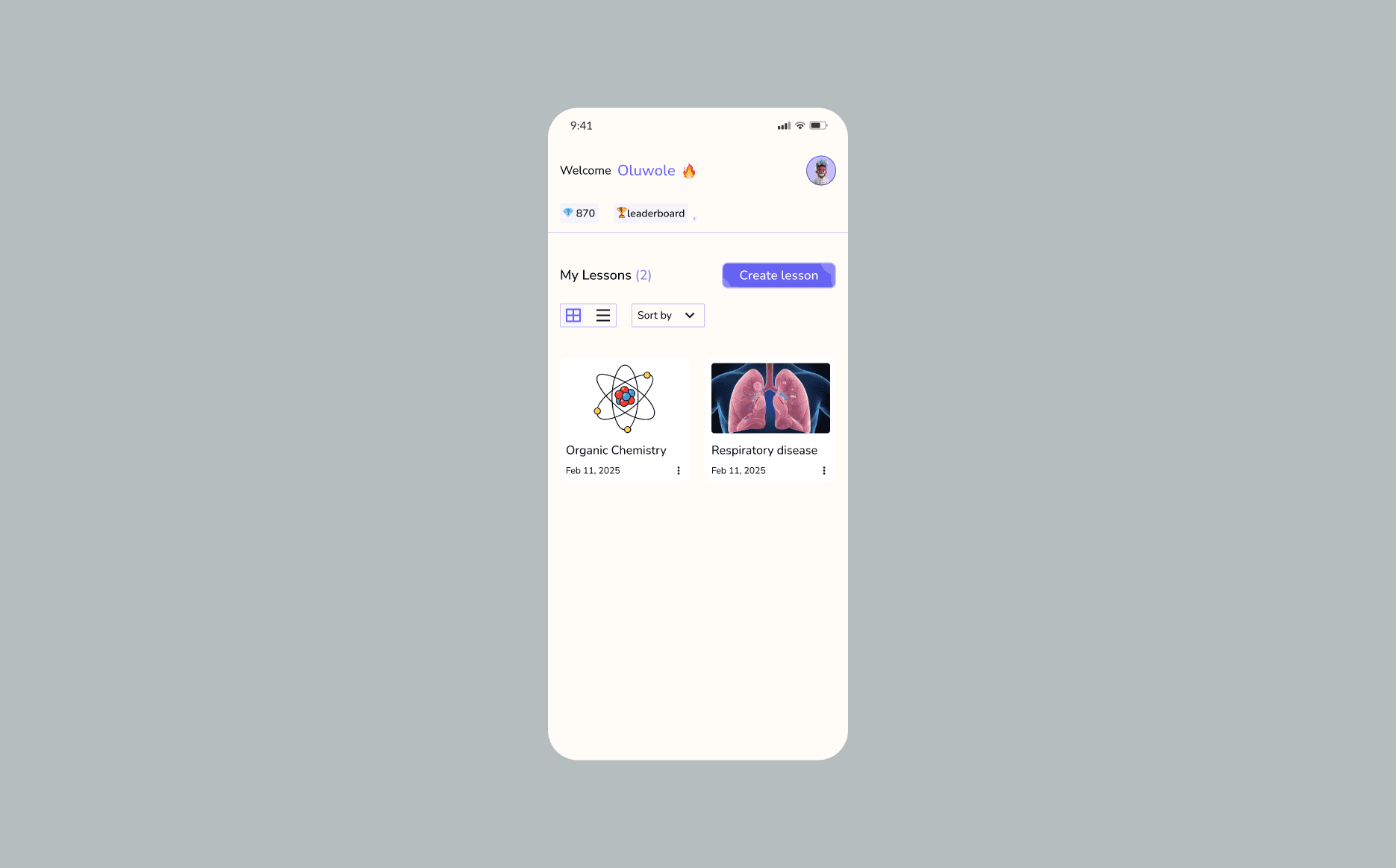
From Static Content to Active Learning
The educational landscape is often saturated with dense, overwhelming information. Gradia was designed to solve this by acting as an intelligent bridge—taking raw documents or web links and distilling them into structured, engaging, and personalized lesson plans.
The Core Problem: Information Overload
Traditional self-learning often leads to "document fatigue." Students and professionals frequently find themselves with high-quality resources (PDFs, articles) but lack the structure to effectively study them.
The Engagement Gap: Reading a 50-page PDF is passive and often results in low retention.
The Lack of Structure: Users often don't know where to start or how to test their knowledge without external help.
The Solution: The Personalized Learning Engine
I designed a mobile-first flow that centers on the "Magic of Transformation"—turning an upload into an interactive classroom.
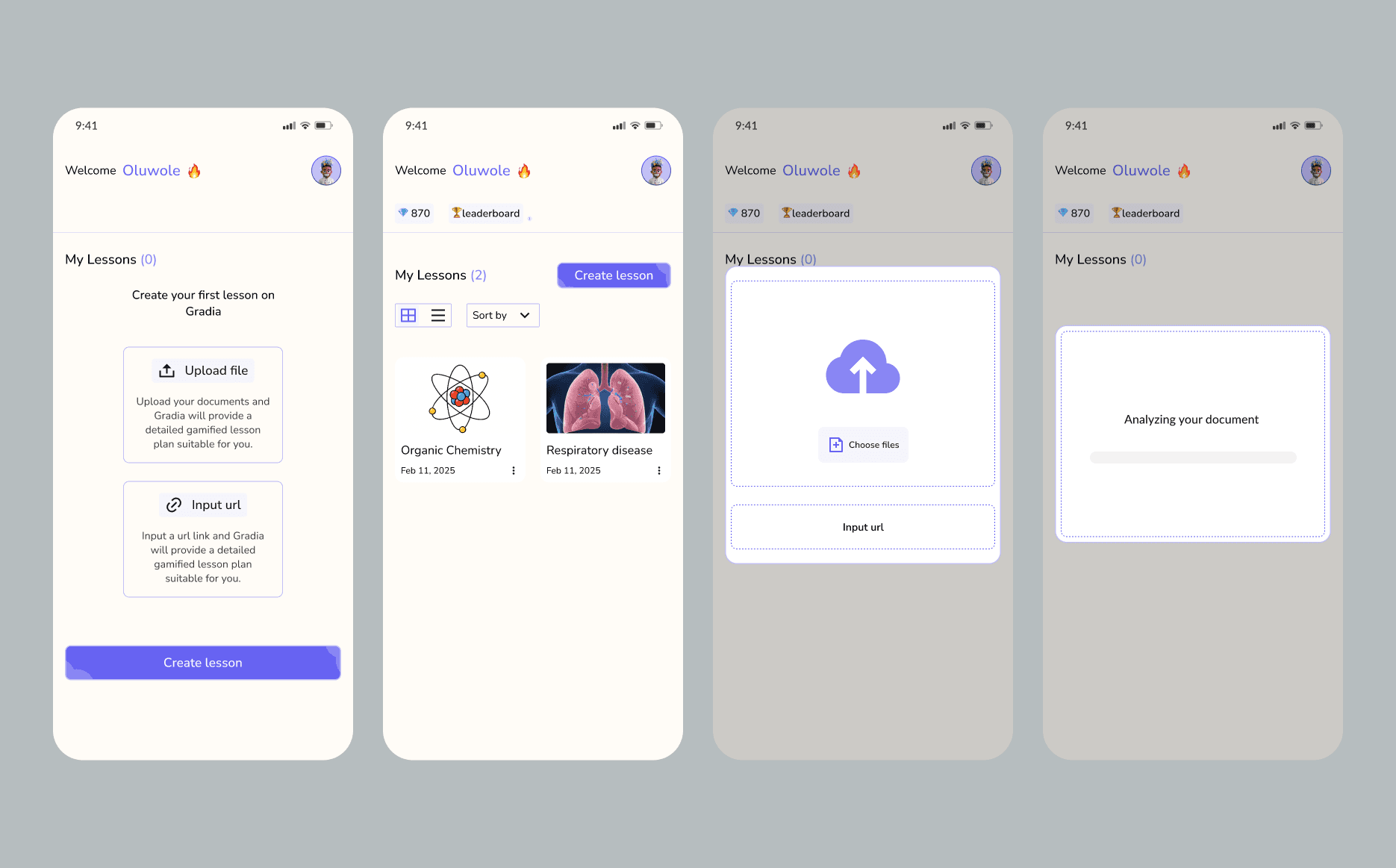
The Intake Flow (Dashboard)
The entry point is designed for maximum simplicity. The user is presented with two clear paths:
Upload File: For local documents and PDFs.
Input URL: For web-based articles and resources. This clean UI ensures that the complexity of the AI processing is hidden behind a friendly, inviting "Create lesson" action.
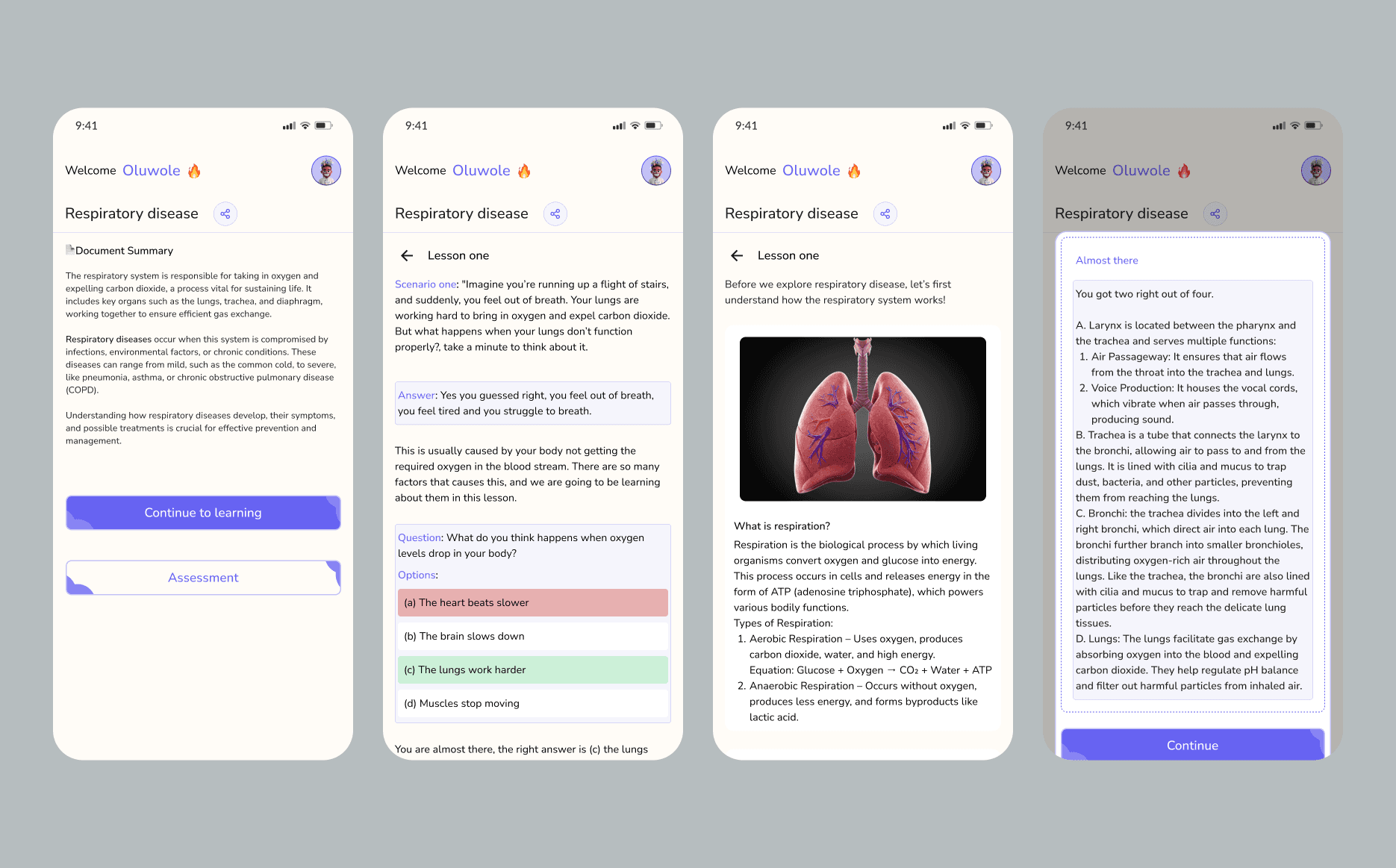
The Lesson Structure (Document Summary)
Once the AI processes the input, it generates a structured overview.
Tailored Learning Steps: Instead of the full document, the user sees a concise "Document Summary" that breaks down the core concepts (e.g., the respiratory system, vital organs, and chronic conditions).
Clear Choice: Users can choose to "Continue to learning" (deep dive) or skip straight to "Assessment" if they feel confident.
Interactive & Gamified Learning (The Lesson Flow)
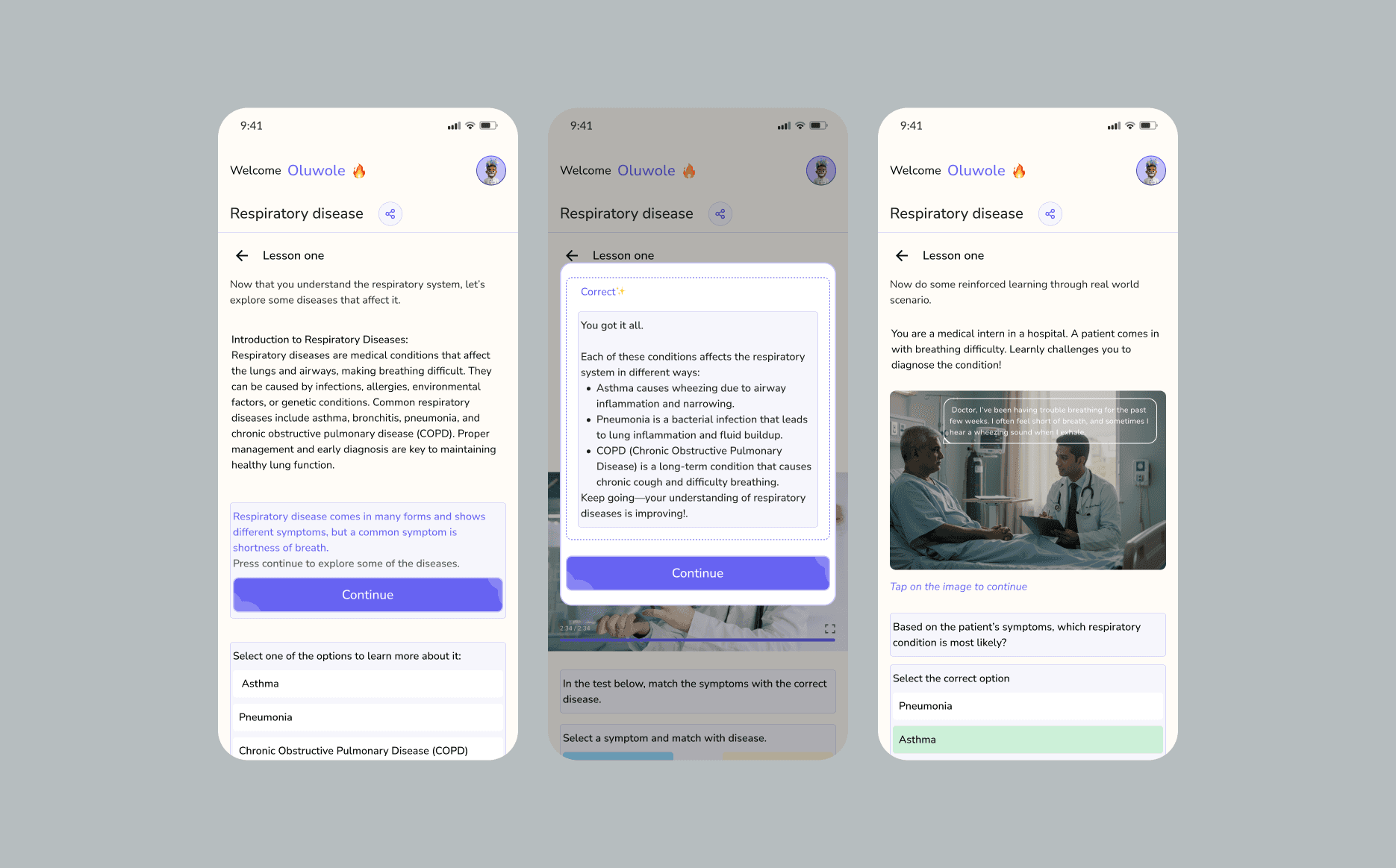
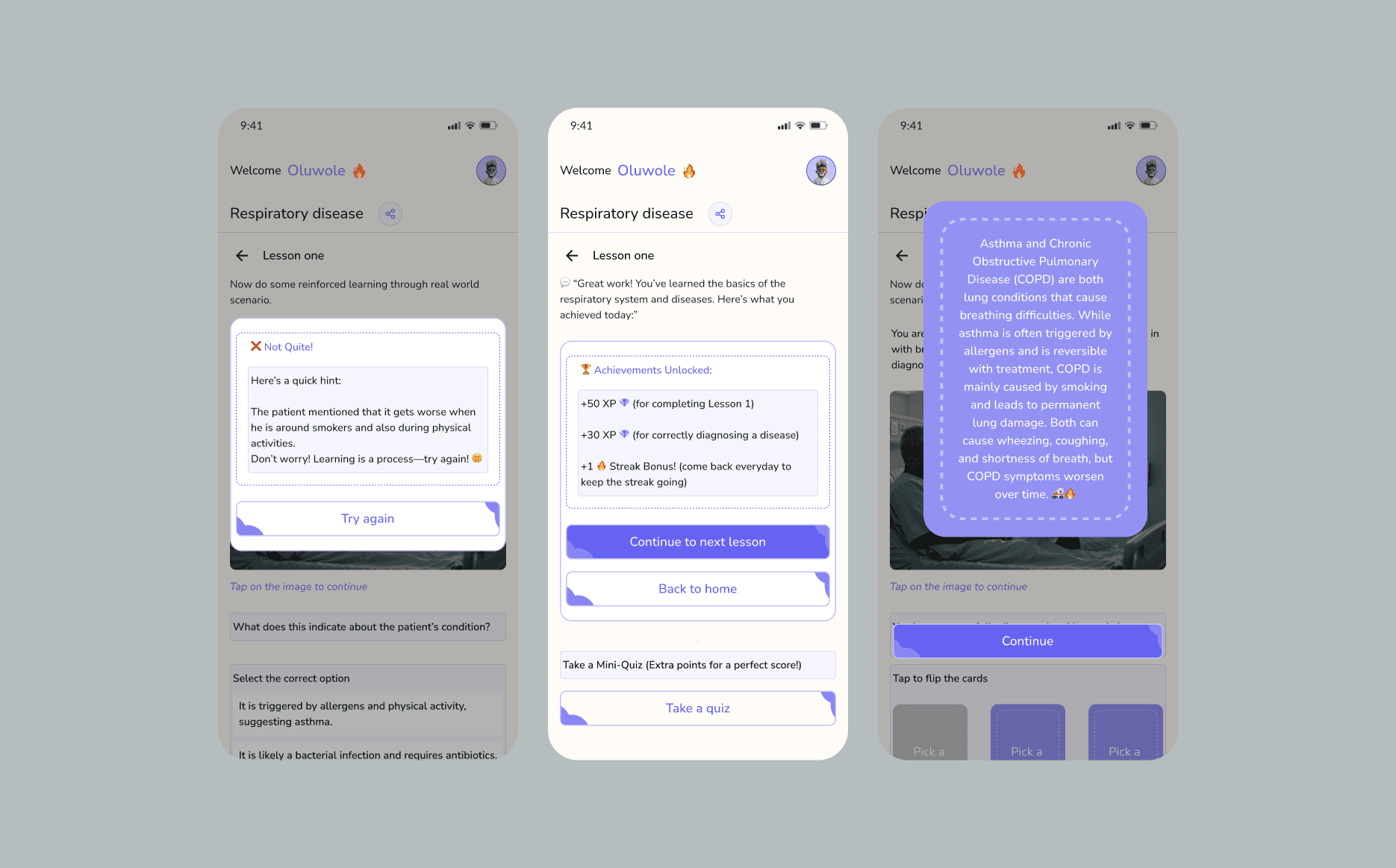
The actual learning pages move away from walls of text and toward interactive storytelling.
Scenario-Based Learning: The UI uses "Scenarios" to make abstract concepts relatable (e.g., imagining being out of breath while running to explain respiratory distress).
Instant Feedback Loops: Integrated assessments (multiple-choice questions) provide immediate gratification. The UI clearly differentiates between correct and incorrect answers using color-coded feedback (green for correct, red for incorrect) and detailed explanations.
Design Highlights (UX Focus)
Progressive Disclosure: Information is revealed in bite-sized pieces to prevent cognitive overload.
Visual Hierarchy: Large, rounded buttons and clear typography (e.g., "Welcome Oluwole 🔥") create a modern, friendly atmosphere that feels more like a game than a textbook.
Accessibility: The use of clear headers and a back-to-lesson navigation ensures users never feel lost within the AI-generated content.
Contact me: +2347063885668. petinrinwole@gmail.com
© - 2025